
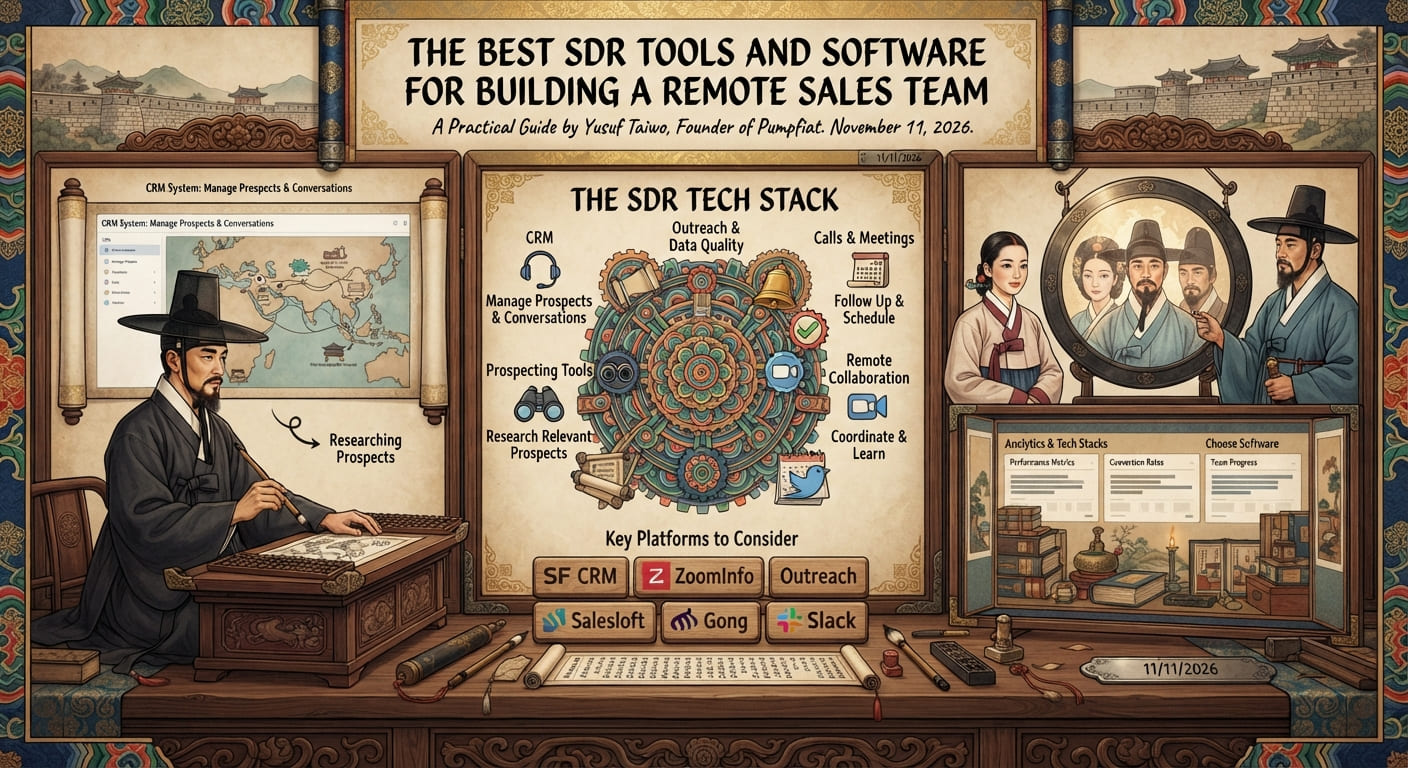
A Sales Development Representative may research target companies, identify decision-makers, send relevant messages, manage follow-ups, schedule conversations, and report activity. Disconnected spreadsheets, inboxes, and calendars can make that work harder to coordinate.
The right SDR tools support a clear sales process; they do not replace one. A small, integrated set of applications can be more useful than a large collection of overlapping subscriptions. This guide reviews common categories of sales development software, example platforms, and questions to ask when choosing tools for a remote team.
1. What are SDR tools?
SDR tools are software applications that help representatives find and research potential customers, manage contact and account records, communicate with prospects, coordinate meetings, and review sales development performance.
Some products combine multiple functions; others focus on one workflow. The aim is to connect the work from account selection through follow-up and handoff, while maintaining reliable records and appropriate controls for data and communication.
2. CRM software: Manage prospects and sales conversations
A Customer Relationship Management (CRM) system is often the central record for companies, contacts, conversations, tasks, and sales opportunities. It can help a team assign ownership, track follow-ups, record meeting outcomes, share context with account executives, and report on defined stages.
Examples of CRM platforms
- HubSpot CRM provides CRM functions alongside sales, marketing, and customer-service products. Assess the specific features and plan requirements for your workflow.
- Salesforce Sales Cloud offers CRM and sales management capabilities that organizations can configure for more involved processes.
- Pipedrive focuses on sales pipeline management and activity tracking.
Choose based on team size, process, reporting, integrations, access control, data export, and budget. An enterprise platform may be unnecessary for a small team with a simple pipeline. Define required fields and stages before migrating or automating records.
3. Prospecting tools: Find relevant potential customers
Prospecting software can support company research, account discovery, and identification of business contacts. Use it to help an SDR find relevant prospects—not to assume every returned record is accurate or appropriate to contact.
- LinkedIn Sales Navigator supports professional search and account research.
- Apollo combines prospecting, contact data, and sales engagement capabilities.
- Crunchbase provides company information that may be useful for researching organizations and business developments.
- Google Maps can help discover local businesses for geographically focused prospect research.
Verify records and review the platform’s data sources, terms, privacy implications, and permitted uses. Public availability does not automatically make personal information accurate or suitable for every outreach activity. Follow applicable laws and your organization’s policies.
4. Outreach, sales engagement, and data quality tools
Sales engagement platforms can help coordinate approved email, calling, and other follow-up tasks. Examples include Outreach, Salesloft, Lemlist, and Instantly. Their features, availability, integrations, and commercial terms change; review current product documentation before selecting one.
A smaller team may begin with a CRM and a controlled, manual email workflow. Add sequencing or automation only when there is a specific operational need and the team can maintain message quality, suppression records, and response handling.
Email verification and data quality
Verification tools can flag some addresses that appear invalid or risky, but results do not guarantee delivery, consent, or lawful use. Examples include ZeroBounce, NeverBounce, and Bouncer.
Review bounce handling, suppression lists, data retention, and how verification results are used. Do not send to contacts who have opted out or otherwise asked not to be contacted. For a practical outreach framework, see our guide to cold email for B2B sales.
5. Calling, communication, and scheduling software
Calling and video conversations
Phone and video tools may help teams make calls, host discovery conversations, and coach representatives. Examples include Aircall, CloudTalk, and Zoom. Compare supported regions, call quality, integrations, accessibility, reporting, and cost. Call recording and outbound calling requirements vary by location; check the rules that apply before recording or contacting prospects.
Scheduling
Calendly, Google Calendar, and Microsoft Outlook can help teams coordinate availability. Use clear meeting descriptions, correct time zones, and appropriate confirmation messages so prospects know what to expect.
6. Remote SDR collaboration tools
Distributed teams need a reliable way to share playbooks, ask questions, coordinate handoffs, and communicate with managers without creating unnecessary meetings or constant monitoring.
- Slack and Microsoft Teams provide team messaging and meeting functions.
- Notion can organize sales playbooks, onboarding documentation, and internal knowledge.
- Asana supports project and task management for team workflows.
Select tools that fit the organization’s existing systems, security requirements, and communication norms. Set expectations for response times and documentation instead of measuring remote work by presence indicators.
7. Sales analytics and performance reporting
A reporting system should help managers understand whether sales development is creating meaningful outcomes and where coaching or process changes may help. Consider tracking prospect fit, outreach activity, positive replies, qualified conversations, meetings booked and held, accepted opportunities, pipeline progression, and agreed targets.
Many CRMs provide basic reports. For more complex analysis, teams may consider Microsoft Power BI or Tableau. Google Sheets can be sufficient for a small team’s initial tracking needs.
Start with reports that support actual decisions. Define metrics consistently and avoid treating activity volume as proof of performance. Our guide to SDR KPIs and metrics explains how to connect activity, conversion, and outcomes.
8. Build an SDR tech stack around your team
An SDR tech stack is the set of connected tools that supports prospect research, communication, CRM management, scheduling, and reporting. These examples are starting configurations—not endorsements, required vendors, or prescriptions.
| Team stage | Possible building blocks | Focus |
|---|---|---|
| Founder or small team | CRM, professional email, calendar, company research, shared documentation, simple reporting | Organize records and follow-ups before adding automation |
| Growing SDR team | CRM, prospect research, approved engagement workflow, data-quality process, scheduling, collaboration | Integrations, access control, and consistent handoffs |
| Larger sales organization | Configured CRM, sales engagement, data governance, telephony, collaboration, and analytics | Administration, reporting definitions, security, and system ownership |
Example tool combinations could include HubSpot or Pipedrive with prospect research and calendar software for a small operation; a CRM and sales engagement platform for a growing team; or Salesforce, Sales Navigator, a selected engagement system, and business intelligence for a larger organization. Check integrations and current product capabilities directly with vendors.
9. How much should you spend on SDR software?
Software budgets depend on team size, product plans, data usage, integrations, and the capabilities required. A founder may need only a CRM, business email, calendar, and shared records. A larger outbound team may justify dedicated prospecting, engagement, verification, calling, or analytics products.
Include per-user subscriptions, data or credit allowances, integrations, setup, training, contract terms, and data export or storage in the comparison. Pricing and product terms change; confirm them with the vendor. Start with the smallest practical setup and add cost only when a specific need justifies it.
10. How to choose the right SDR software
- Does it solve a real problem? Identify the workflow that needs improvement, such as prospect research, follow-up, or reporting.
- Does it integrate? Check the connections needed to avoid duplicate records and inconsistent data.
- Can the team use it? Consider usability, training, accessibility, and ongoing administration.
- Is the full cost understood? Include subscriptions, credits, integrations, setup, and future team growth.
- Can you access and export records? Review data rights, retention, ownership, and exit options.
- Does it support responsible outreach? Look at opt-outs, suppression, permissions, audit history, and data controls.
- Is the vendor suitable? Assess security documentation, support, terms, integrations, and relevant regional availability.
11. Common mistakes when choosing SDR tools
- Buying too many tools before the sales process is clear.
- Ignoring integration requirements and creating duplicate systems of record.
- Automating messages before improving audience relevance and copy quality.
- Assuming a data provider guarantees accuracy, delivery, or permission to contact.
- Failing to train representatives or assign an owner for administration.
- Collecting more activity data than the team can use or explain.
Frequently asked questions
What is the most important tool for an SDR?
A CRM is often a core tool because it centralizes account information, conversations, tasks, and opportunities. The right setup depends on how your team works.
What tools do remote SDRs need?
Most teams need a way to manage records, research prospects, communicate, schedule meetings, and collaborate. More specialized products depend on the sales process and team size.
Is HubSpot suitable for SDR teams?
HubSpot provides CRM and sales-related products that may fit different organizations. Evaluate the specific capabilities, plans, and integrations against your requirements.
Do SDRs need paid prospecting software?
Not always. A small team may begin with company websites, professional networks, and manual research. Paid software is worth considering when the value it provides justifies the cost and its data use fits your requirements.
Can I manage an SDR team with Google Sheets?
A spreadsheet can work for a small operation. A CRM may become more useful as the number of records, users, and handoffs grows.
What is an SDR tech stack?
It is the collection of software that supports sales development work, including research, outreach, CRM, scheduling, collaboration, and reporting.

About the author
Yusuf Taiwo is the founder of Pumpfiat, a Notion Partner, automation expert, and AI systems builder. Read Yusuf’s profile and experience.
Build a focused SDR technology stack
Explore Pumpfiat resources on lead generation, remote hiring, and sales development performance.